Form Template
Ten everyday form templates for schools, clubs, small businesses and community groups. Each is a clean, ready-to-print PDF and an editable Word file, and forms that collect lists also come as Excel sheets for tallying responses.
Everyday Form Template Pack
Ten matching forms — registration, application, consent, feedback, request, intake, membership, volunteer, change request and a response tracker.
- Registration form (PDF, DOCX)
- General application form (PDF, DOCX)
- Permission & consent form (PDF, DOCX)
- Feedback form (PDF, DOCX)
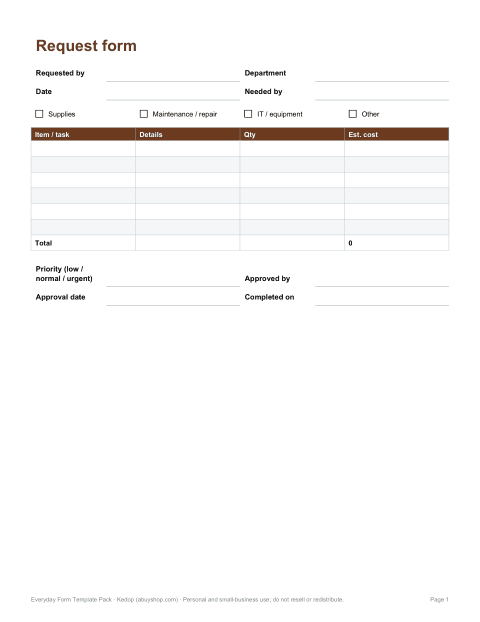
- Request form (PDF, DOCX, XLSX)
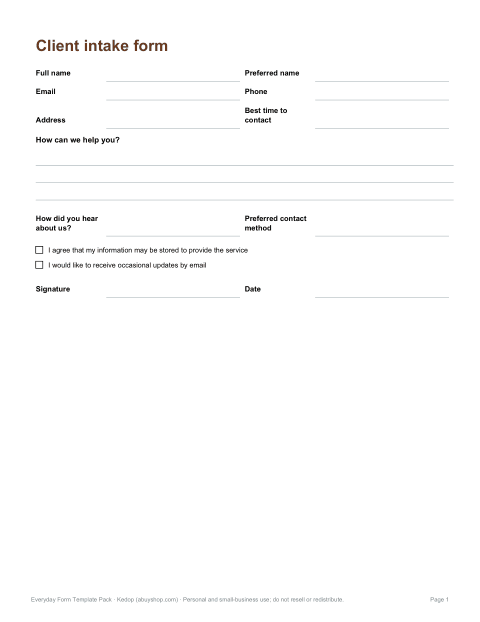
- Client intake form (PDF, DOCX)
- Membership form (PDF, DOCX)
- Volunteer form (PDF, DOCX)
- Change request form (PDF, DOCX)
- Response tracker (Excel)
Formats: PDF, DOCX, XLSX. Instant download after payment (link valid 72 hours, up to 5 downloads). AI-assisted: the templates were drafted with AI help and reviewed and laid out by Kedop.
$9.00 USD, one-time
Secure card checkout by Stripe. Full refund within 7 days — see the refund policy and license.
The forms in the pack
Most organisations reinvent the same handful of forms every year. This pack gives you a consistent, professional set so every form looks like it came from the same place, asks for information in the same order and leaves enough space to write.
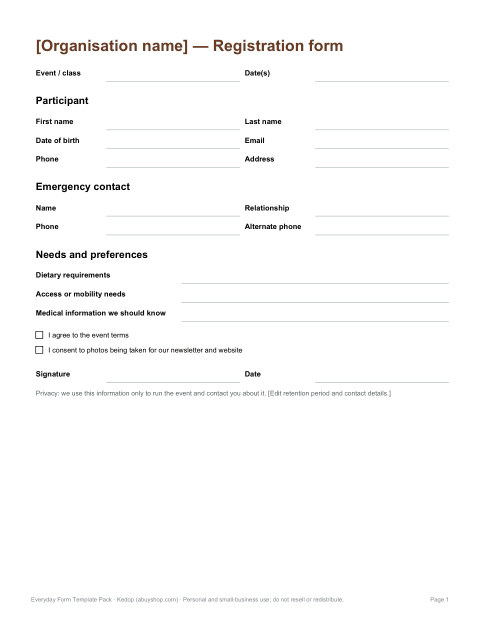
- Registration form — events, classes, camps and workshops, with emergency contact and dietary or access needs.
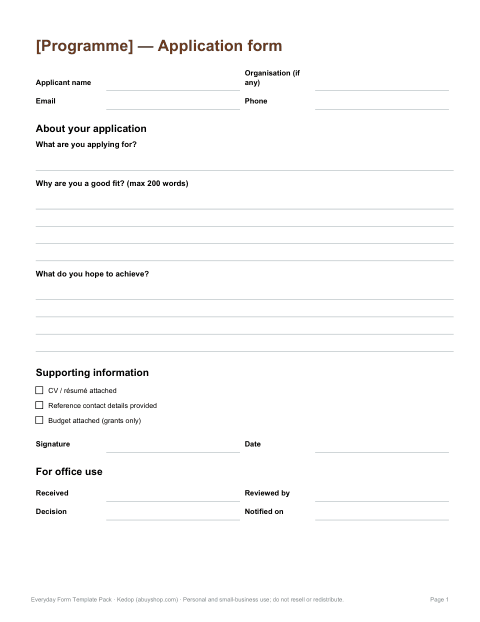
- General application form — for programmes, grants, awards or positions that are not formal job applications.
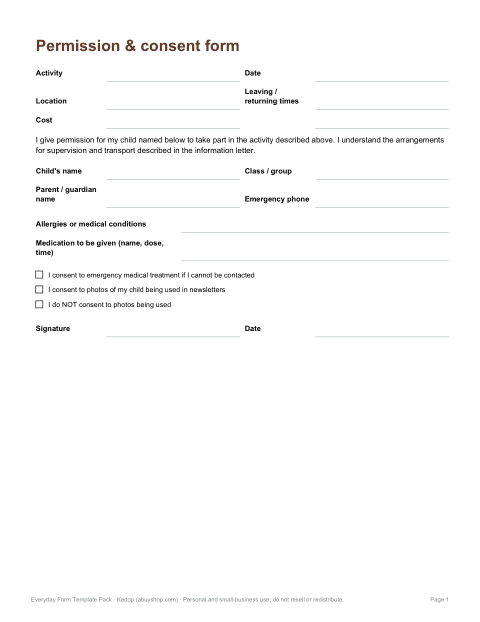
- Permission and consent form — parent or guardian consent for trips and activities, including a photo consent choice.
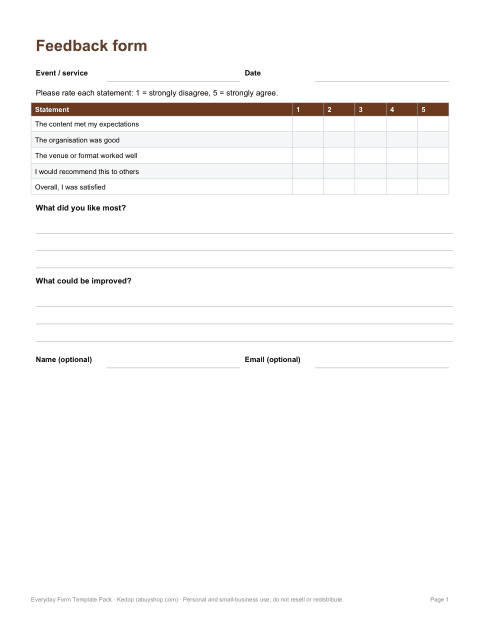
- Feedback form — rating scale questions plus open comments for events, courses or services.
- Request form — supplies, maintenance or IT requests with priority, approval and completion sections.
- Client intake form — contact details, reason for enquiry, preferences and consent to store information.
- Membership form — new and renewing members, membership type, fees and payment record.
- Volunteer form — availability grid, skills, roles of interest and references.
- Change request form — describe a requested change, impact, approval and implementation.
- Response tracker (Excel) — a sheet to record returned forms and count responses.
How to adapt a form in minutes
- Open the Word version and replace “[Organisation name]” and the logo placeholder in the header.
- Delete questions you do not need — shorter forms get more complete answers.
- Add any question specific to your event or service in the blank rows provided.
- Update the privacy note: say why you collect the information, who sees it and how long you keep it.
- Save as PDF for printing or emailing, or keep the DOCX so people can type their answers.
Good form design, built in
The templates follow a few simple rules that make forms faster to complete and easier to process:
- Group related questions under clear headings (about you, emergency contact, consent).
- Ask for one piece of information per field — separate first and last names, separate phone and email.
- Leave writing lines long enough for real answers, including email addresses.
- Use tick boxes for fixed choices so answers are consistent.
- Put signatures and dates at the end, after the information being agreed to.
- Only ask for sensitive information, such as medical details, when you genuinely need it, and explain why.
Collecting personal information responsibly
Any form that asks for names, contact details, health information or information about children creates responsibilities. Keep completed forms in a secure place, limit who can see them, and destroy them when they are no longer needed. Depending on where you are, privacy laws such as the GDPR in Europe or state privacy laws in the US may apply to your organisation. The templates include a short privacy notice you can edit, but they are not legal advice; for medical, legal or financial forms, check requirements for your sector.
Which form should I use?
| You need to… | Use |
|---|---|
| Sign people up for an event or class | Registration form |
| Choose between applicants for a programme or award | General application form |
| Get a parent's agreement for a trip or photos | Permission and consent form |
| Learn what attendees thought | Feedback form |
| Handle requests for supplies or repairs | Request form |
| Collect details from a new client | Client intake form |
| Enrol or renew members | Membership form |
| Recruit and schedule volunteers | Volunteer form |
| Approve a change to a process or project | Change request form |
Formats and printing
Every form is a DOCX file (Word, LibreOffice, Pages, Google Docs) plus a PDF. PDFs are laid out for US Letter paper with margins that also print on A4. The response tracker is an XLSX workbook with a count of forms received and a tally of consent answers. There are no macros or add-ins.
Paper forms and digital forms together
Many groups use both: a printed form at the front desk or on a clipboard, and an online version for people who sign up in advance. Keeping the questions and their order identical in both makes the data easy to combine, which is why the Word files mirror the PDFs exactly. When you rebuild a form in an online form builder, copy the question wording from the DOCX so answers from both routes land in the same columns of the response tracker. Date every version in the footer, so if a question changes mid-season you can tell which version a returned form came from.
Frequently asked questions
Can people fill in the forms on a computer?
Yes, using the Word version: they type in the answer areas and return the file or a PDF export. The PDFs are designed for printing.
Can I add my logo?
Yes, each Word form has space at the top where you can insert your logo and organisation name.
Are these legally binding consent forms?
They are general templates. For activities with significant risk, medical treatment or legal waivers, have your wording reviewed locally.
Can I use them for my business?
Yes, the license covers use in your own organisation or business. Reselling the templates themselves is not permitted.
Were AI tools used?
Yes. The forms were drafted with AI help and then reviewed, edited and formatted by Kedop.